Your real Outlook calendars
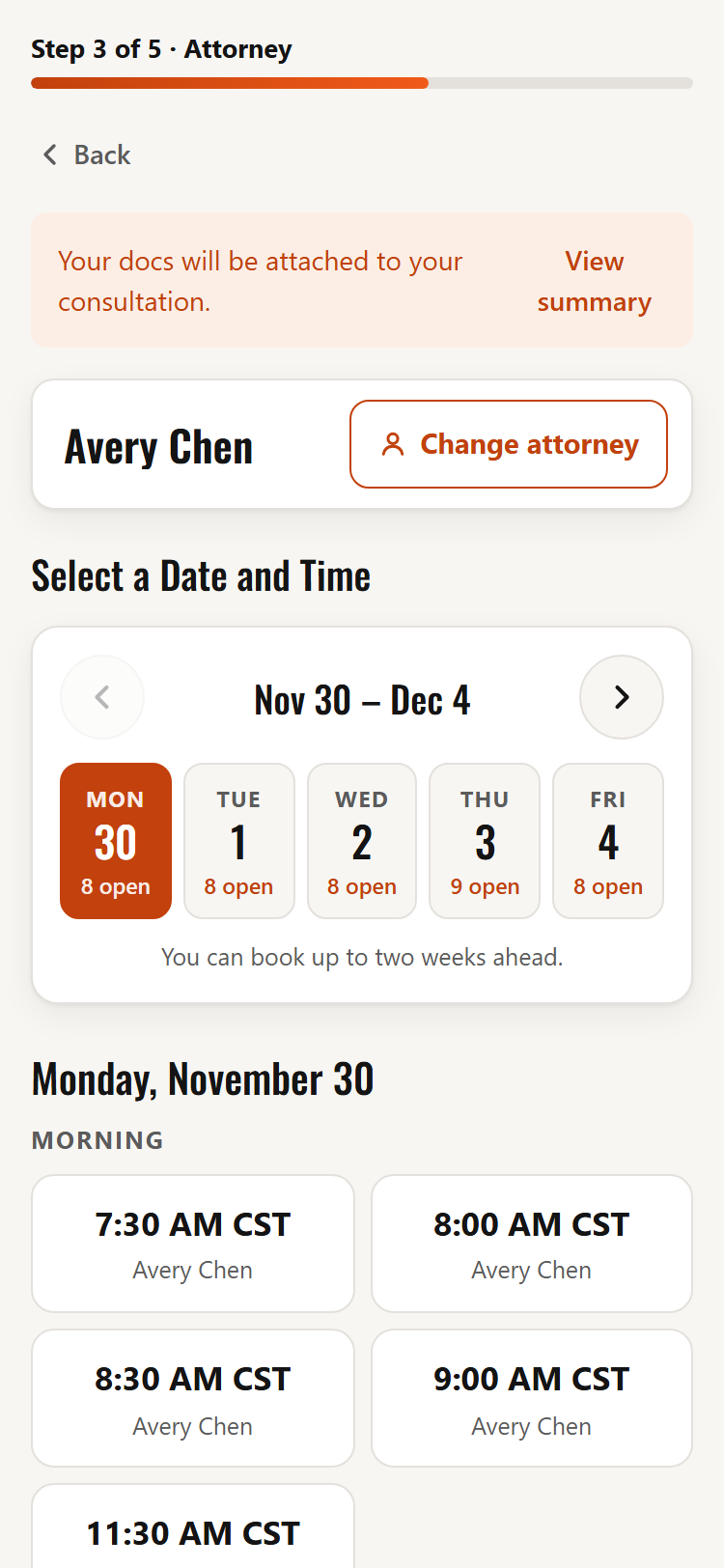
Openings come from each attorney's Microsoft 365 free and busy times, with buffers and notice time. Booked consultations land on the attorney's calendar with an invitation to the client.
For criminal and traffic defense firms
Prospective clients upload their ticket or court notice, read a plain-English summary of what it says, and book a consultation on your attorneys' real Outlook calendars. All from their phone, in a couple of minutes.
The demo uses sample attorneys and calendars. It isn't a law firm and doesn't send real invitations.
A photo of the ticket or court notice, or a PDF. It's optional, so people without papers can go straight to booking.
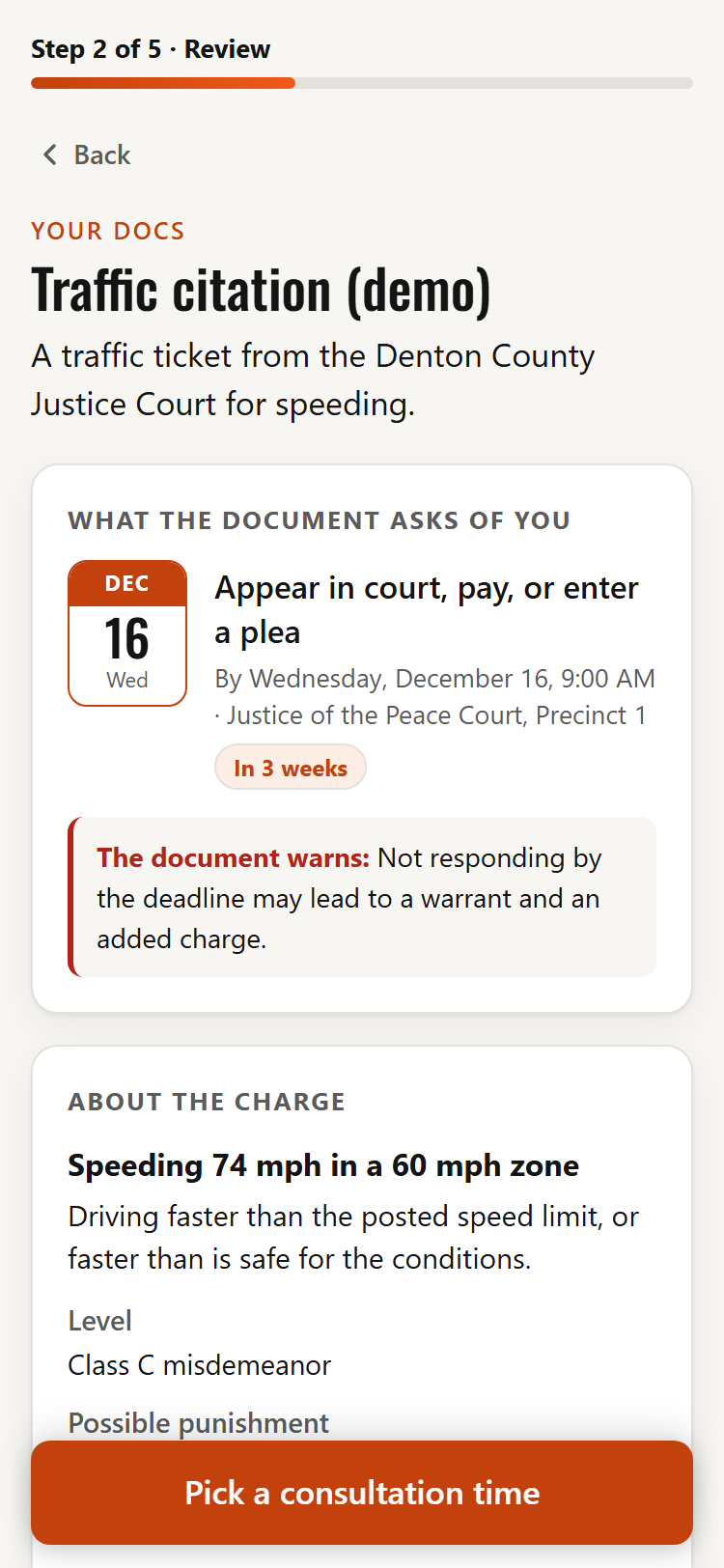
What the document is, the court and case number, the deadlines, what it asks them to do, and what the charge means. No legal advice.
A specific attorney or the first available, from live calendar openings. They get an invitation; the attorney gets the documents.
Openings come from each attorney's Microsoft 365 free and busy times, with buffers and notice time. Booked consultations land on the attorney's calendar with an invitation to the client.
An AI reads the upload and restates it: court, case number, charges, dates and amounts. For Texas cases it shows the charge level and the general punishment range for that level.
The summary only restates the document and gives general information. It never recommends what to do, predicts an outcome, or suggests defenses, and says so on screen.
Clients can pick someone they've heard of, or take the soonest opening. With no preference, new consultations are shared fairly across the team.
Uploaded pages are attached to the attorney's copy of the event, named by date and client. The client's invitation stays clean.
Most people book from a phone, often right after they get the ticket. Big tap targets, a camera button, and a short form that fits on one screen.
Pick the plan that fits the size of your practice.
$99/ month
For an attorney practicing on their own.
Get started$150/ month
For two attorneys sharing one booking page.
Get started$250/ month
For a firm with a larger team of attorneys.
Get startedPrices in US dollars, billed monthly.
Yes. It reads your attorneys' free and busy times from Microsoft 365 and puts the consultation on the attorney's Outlook calendar, with an invitation to the client.
No. It restates what the paperwork says: the court, the dates, what the document asks the person to do, and general information about the charge. It never recommends what to do, predicts an outcome, or suggests defenses.
They are held in memory, not saved to disk, and discarded two hours after upload. If the person books, the pages are attached to the attorney's copy of the calendar event only.
Yes. Clients can pick a specific attorney or the first available. With no preference, bookings are shared fairly across the attorneys.
Yes. Your logo and colors, your attorneys, office hours, location or Teams meetings, consultation length, and how far ahead people can book.
Upload a sample ticket, read the summary, and book a time with a sample attorney. It takes about two minutes.